
Advertising.
Provided by Odyssey Media Group,
ACCA Official Media Sales Partner
Advertising.
Provided by Odyssey Media Group,
ACCA Official Media Sales Partner
Advertising specifications.
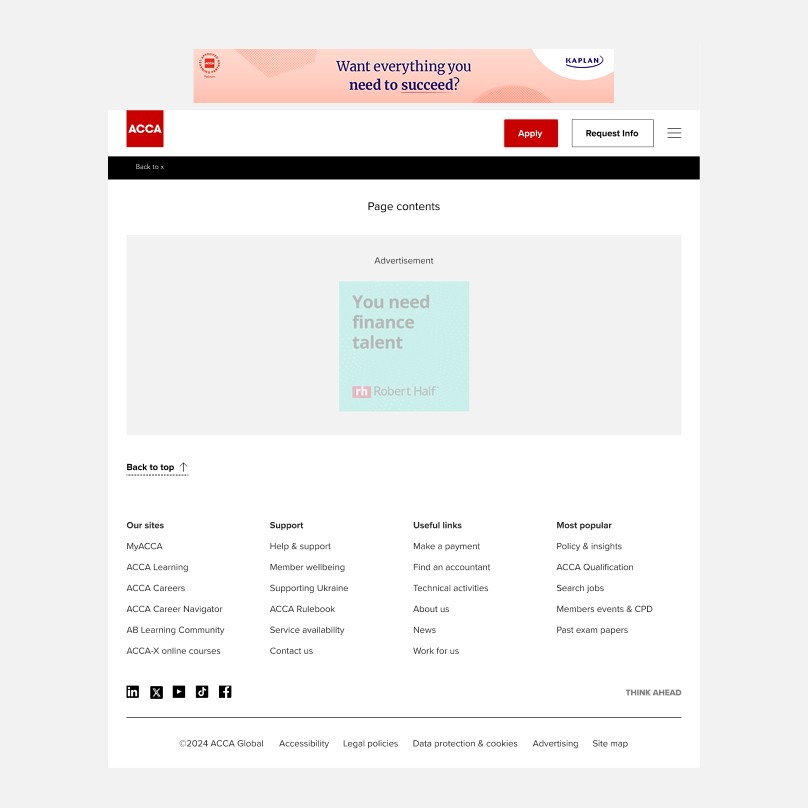
Digital displays
Leaderboard
Ad Size: 728 × 90 pixels
File Format: JPG, PNG or GIF (static or animated)
Maximum File Size: 300 KB
Recommended File Size: Under 150 KB for best performance
Animation (if using GIF): Up to 15 seconds, maximum of 3 loops
Click Link: One website URL per advert
Hosting & Reporting: All ads are hosted via ACCA’s ad server. Campaign performance reporting is provided by Odyssey Media Group.
Devices: Served across desktop and mobile where this size is supported.
Targeting Options: Run of Site (across the full website) or Specific website sections
Supplying Your Artwork: Please send your final artwork and destination URL to your Account Manager.

Direct (Solus) email
Email content
Subject line: 30–50 characters recommended
Preview text/preheader: 40–90 characters supporting the subject line
Email headline: 5–10 words
Intro text: 1–2 sentences
Body copy: 50–100 words per section
Call to action: One clear primary CTA, button text should be 2–5 words, include full landing page URL
Image format: JPG or PNG, provided as separate files (not embedded)
Image size: Max file size ~300KB, recommended width 600–1200px
Preferred content formats: Word document, Google Doc, clean HTML, plain text with clearly labelled sections
Best practices:
Keep subject lines clear and avoid excessive punctuation or ALL CAPS.
Maintain a good balance of text and images (avoid image-only emails).
Focus on one primary call-to-action.
Avoid spam-trigger phrases such as 'Free!!!', 'Guaranteed results', or 'Risk-free'.
Ensure landing pages match the email message.
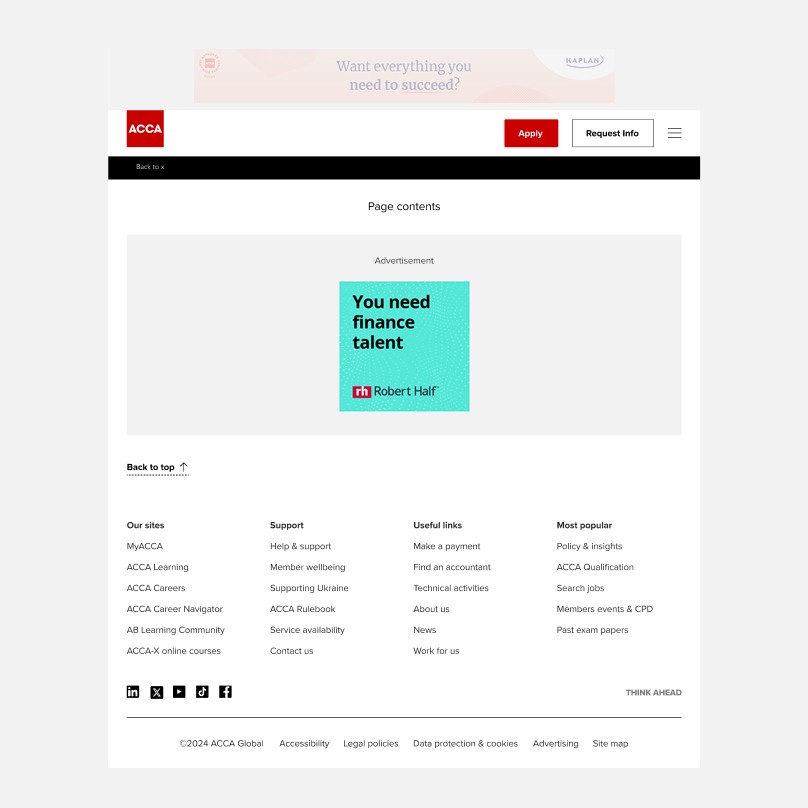
Digital displays
MPU
Ad Size: 225 × 225 pixels
File Format: JPG, PNG or GIF (static or animated)
Maximum File Size: 300 KB
Recommended File Size: Under 150 KB for best performance
Animation (if using GIF): Up to 15 seconds, maximum of 3 loops
Click Link: One website URL per advert
Hosting & Reporting: All ads are hosted via ACCA’s ad server. Campaign performance reporting is provided by Odyssey Media Group.
Devices: Served across desktop and mobile.
Targeting Options: Run of Site (across the full website)
or Specific website sections
Supplying Your Artwork: Please send your final artwork and destination URL to your Account Manager.
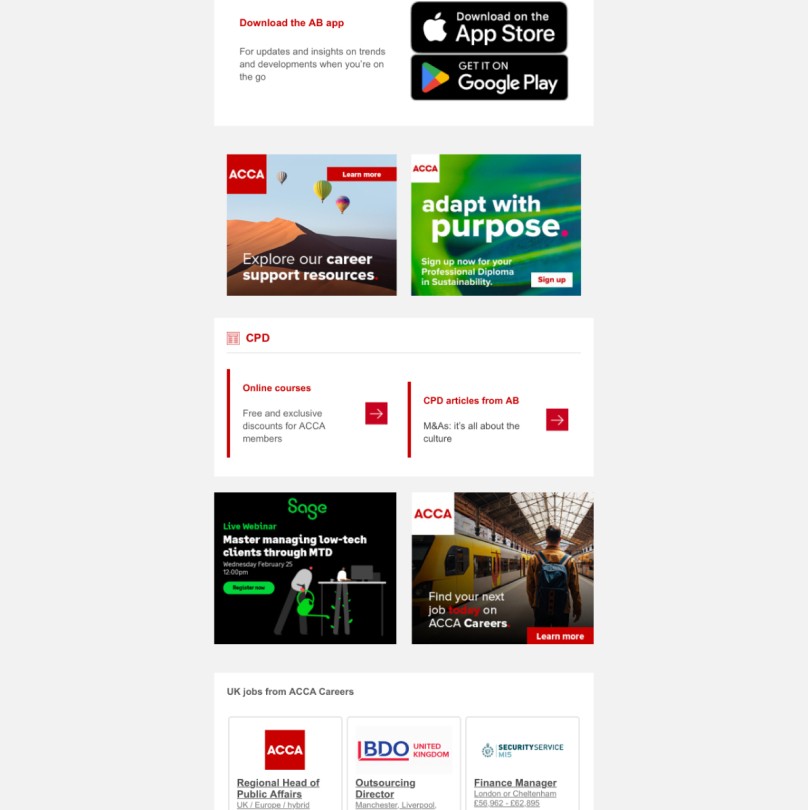
Newsletters
Profile ad
Ad Size: 300 × 250 pixels
File Format: JPG or PNG
Maximum File Size: 300 KB
Recommended File Size: Under 150 KB for best performance
Placement Options: AB Direct, CPD and Events Direct, Student Accountant Direct, Student Accountant Alert
Click Link: One website URL per advert
Hosting & Reporting: All ads are hosted via ACCA’s email server. Campaign performance reporting is provided by Odyssey Media Group.
Supplying Your Artwork: Please send your final artwork and destination URL to your Account Manager.
Digital displays
Leaderboard
Ad Size: 728 × 90 pixels
File Format: JPG, PNG or GIF (static or animated)
Maximum File Size: 300 KB
Recommended File Size: Under 150 KB for best performance
Animation (if using GIF): Up to 15 seconds, maximum of 3 loops
Click Link: One website URL per advert
Hosting & Reporting: All ads are hosted via ACCA’s ad server. Campaign performance reporting is provided by Odyssey Media Group.
Devices: Served across desktop and mobile where this size is supported.
Targeting Options: Run of Site (across the full website) or Specific website sections
Supplying Your Artwork: Please send your final artwork and destination URL to your Account Manager.
Newsletters
Profile ad
Ad Size: 300 × 250 pixels
File Format: JPG or PNG
Maximum File Size: 300 KB
Recommended File Size: Under 150 KB for best performance
Placement Options: AB Direct, CPD and Events Direct, Student Accountant Direct, Student Accountant Alert
Click Link: One website URL per advert
Hosting & Reporting: All ads are hosted via ACCA’s email server. Campaign performance reporting is provided by Odyssey Media Group.
Supplying Your Artwork: Please send your final artwork and destination URL to your Account Manager.
Digital displays
MPU
Ad Size: 225 × 225 pixels
File Format: JPG, PNG or GIF (static or animated)
Maximum File Size: 300 KB
Recommended File Size: Under 150 KB for best performance
Animation (if using GIF): Up to 15 seconds, maximum of 3 loops
Click Link: One website URL per advert
Hosting & Reporting: All ads are hosted via ACCA’s ad server. Campaign performance reporting is provided by Odyssey Media Group.
Devices: Served across desktop and mobile.
Targeting Options: Run of Site (across the full website)
or Specific website sections
Supplying Your Artwork: Please send your final artwork and destination URL to your Account Manager.
Direct (Solus) email
Email content
Subject line: 30–50 characters recommended
Preview text/preheader: 40–90 characters supporting the subject line
Email headline: 5–10 words
Intro text: 1–2 sentences
Body copy: 50–100 words per section
Call to action: One clear primary CTA, button text should be 2–5 words, include full landing page URL
Image format: JPG or PNG, provided as separate files (not embedded)
Image size: Max file size ~300KB, recommended width 600–1200px
Preferred content formats: Word document, Google Doc, clean HTML, plain text with clearly labelled sections
Best practices:
Keep subject lines clear and avoid excessive punctuation or ALL CAPS.
Maintain a good balance of text and images (avoid image-only emails).
Focus on one primary call-to-action.
Avoid spam-trigger phrases such as 'Free!!!', 'Guaranteed results', or 'Risk-free'.
Ensure landing pages match the email message.
Digital displays
Leaderboard
Ad Size: 728 × 90 pixels
File Format: JPG, PNG or GIF (static or animated)
Maximum File Size: 300 KB
Recommended File Size: Under 150 KB for best performance
Animation (if using GIF): Up to 15 seconds, maximum of 3 loops
Click Link: One website URL per advert
Hosting & Reporting: All ads are hosted via ACCA’s ad server. Campaign performance reporting is provided by Odyssey Media Group.
Devices: Served across desktop and mobile where this size is supported.
Targeting Options: Run of Site (across the full website) or Specific website sections
Supplying Your Artwork: Please send your final artwork and destination URL to your Account Manager.
Digital displays
MPU
Ad Size: 225 × 225 pixels
File Format: JPG, PNG or GIF (static or animated)
Maximum File Size: 300 KB
Recommended File Size: Under 150 KB for best performance
Animation (if using GIF): Up to 15 seconds, maximum of 3 loops
Click Link: One website URL per advert
Hosting & Reporting: All ads are hosted via ACCA’s ad server. Campaign performance reporting is provided by Odyssey Media Group.
Devices: Served across desktop and mobile.
Targeting Options: Run of Site (across the full website)
or Specific website sections
Supplying Your Artwork: Please send your final artwork and destination URL to your Account Manager.
Newsletters
Profile ad
Ad Size: 300 × 250 pixels
File Format: JPG or PNG
Maximum File Size: 300 KB
Recommended File Size: Under 150 KB for best performance
Placement Options: AB Direct, CPD and Events Direct, Student Accountant Direct, Student Accountant Alert
Click Link: One website URL per advert
Hosting & Reporting: All ads are hosted via ACCA’s email server. Campaign performance reporting is provided by Odyssey Media Group.
Supplying Your Artwork: Please send your final artwork and destination URL to your Account Manager.
Direct (Solus) email
Email content
Subject line: 30–50 characters recommended
Preview text/preheader: 40–90 characters supporting the subject line
Email headline: 5–10 words
Intro text: 1–2 sentences
Body copy: 50–100 words per section
Call to action: One clear primary CTA, button text should be 2–5 words, include full landing page URL
Image format: JPG or PNG, provided as separate files (not embedded)
Image size: Max file size ~300KB, recommended width 600–1200px
Preferred content formats: Word document, Google Doc, clean HTML, plain text with clearly labelled sections
Best practices:
Keep subject lines clear and avoid excessive punctuation or ALL CAPS.
Maintain a good balance of text and images (avoid image-only emails).
Focus on one primary call-to-action.
Avoid spam-trigger phrases such as 'Free!!!', 'Guaranteed results', or 'Risk-free'.
Ensure landing pages match the email message.
Advertising.
This website is operated by Odyssey Media Group, the officially appointed media sales partner for ACCA Global and facilitates advertising and sponsorship opportunities across ACCA Global-owned channels.
Advertising.
This website is operated by Odyssey Media Group, the officially appointed media sales partner for ACCA Global and facilitates advertising and sponsorship opportunities across ACCA Global-owned channels.